


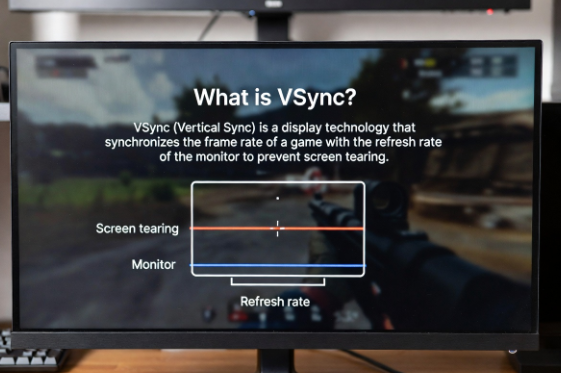
What is vsync in game and why do gamers always talk about it? If you are playing a video game and notice strange screen tearing or choppy graphics, vsync might be the solution you need. VSync, short for Vertical Synchronization, is a technology that helps your game’s graphics match your monitor’s refresh rate. This means the frames your computer sends to your screen are in perfect harmony with how fast your monitor can show them, making your gaming smoother and more enjoyable. Many new gamers don’t understand what vsync in game really does, but it is very important, especially for fast-paced games like racing, shooting, or action adventures. When vsync is off, you may see horizontal lines splitting the screen while the game is running. This happens because the graphics card sends frames faster than the monitor can display them. Imagine a flipbook that moves too quickly for your eyes to follow – that is similar to screen tearing. Turning on vsync fixes this by limiting the frame rate so it matches the monitor’s capabilities. But vsync is not always perfect. Sometimes, it can make your game feel slightly slower or add input lag, which can be important for competitive players who need quick reactions. Understanding.
How VSync Works in Games: Easy Explanation
VSync works by making sure your game and your monitor show frames at the same speed. When you play a game, your graphics card creates images, called frames, very fast. Sometimes, your monitor cannot keep up, and this makes the screen look split or flickery. VSync stops the graphics card from sending too many frames at once. It waits for your monitor to be ready, so each frame shows properly. This makes the game feel smoother and prevents screen tearing. VSync is very helpful for games with fast movement because it keeps everything neat and clear. You will see better graphics without broken lines or jumps when you turn it on.
What is VSync in Game and Why It Matters for Smooth Play
VSync in game matters because it keeps your game looking clean and smooth. Without it, the game can look choppy, and images may break when moving quickly. Gamers notice this most in racing, shooting, and adventure games where every second counts. When VSync is on, the frames match the screen refresh rate, making motion look natural. It helps you enjoy the game without distractions and gives a more professional feel to gameplay. Even beginners can see the difference immediately. Using VSync is not just for high-end computers; it works on most devices and consoles. It is a simple tool that improves your gaming experience instantly.
Advantages of Using VSync in Game Graphics
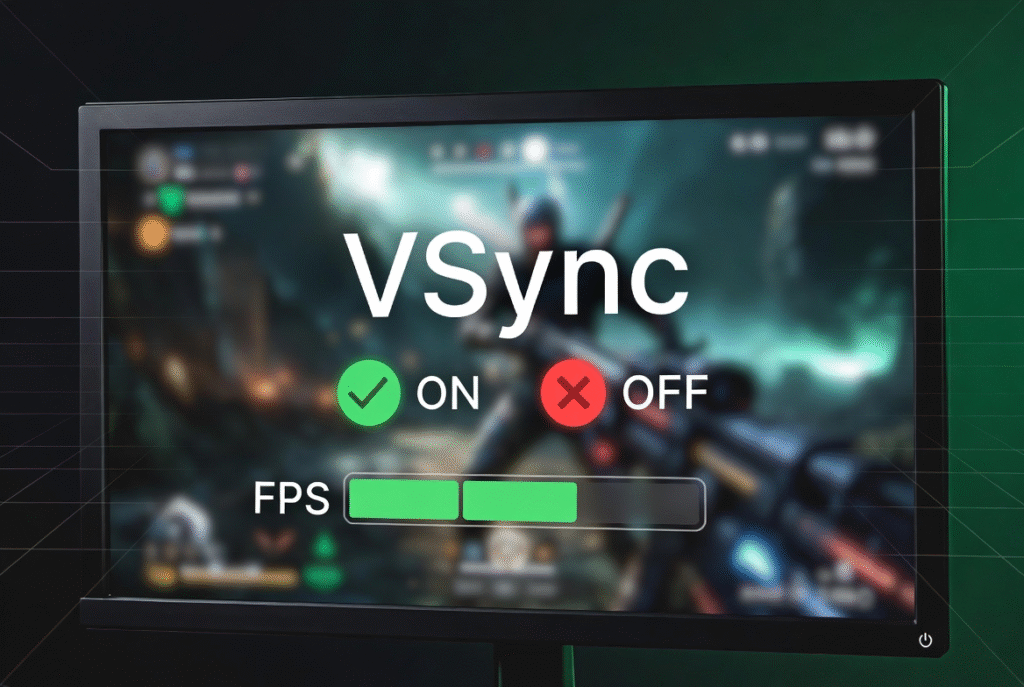
The biggest advantage of VSync is smoother visuals. Games feel less jittery, and screen tearing disappears. This makes characters, cars, and landscapes look natural when moving. Another benefit is that it can reduce strain on your eyes because you don’t see fast flickering frames. VSync also helps older or weaker computers handle games better by controlling frame output. Many players enjoy games more when VSync is on because the graphics are stable, even during fast action. It is also helpful for making videos or streaming games look clean. Overall, VSync gives a more polished and enjoyable experience while playing games of any kind.
Common Problems Without VSync in Games
Without VSync, games can show screen tearing, where horizontal lines split the picture. Fast-moving objects may look jagged, and the gameplay can feel jerky. Sometimes, your monitor may display frames too quickly or too slowly, making the game look unnatural. This can be annoying, especially in competitive games where precise timing is important. Some players might experience motion blur or flickering that makes it hard to see small details. Even good graphics cards can produce problems if VSync is off. Gamers often report headaches or eye strain after long sessions without VSync. Turning it on usually fixes these issues and gives a more pleasant gaming experience.
Adaptive vs Standard VSync: Which Is Better?
Standard VSync limits the frame rate to match your monitor, but it can sometimes cause input lag, especially in fast games. Adaptive VSync is smarter because it only turns on when your frame rate is higher than the screen’s refresh rate. This way, you get smooth graphics without slowing down gameplay too much. Adaptive VSync can be better for competitive gamers who want clear visuals but need fast responses. It also prevents screen tearing when the frame rate drops. Choosing between standard and adaptive depends on the type of game and your preference. Both types aim to make gaming smoother, but adaptive is more flexible and modern.
How to Turn On VSync in PC and Console Games
Turning on VSync is usually simple in most games. On PC, you can find it in the graphics settings menu, often under display or advanced options. Some games let you turn on adaptive VSync or enhanced sync as well. For consoles, VSync is often enabled automatically, but certain games allow manual control in settings. Enabling it may lower the frame rate slightly if your system struggles to match the monitor. Always test your game after turning it on to see if it feels smoother. Using VSync does not harm your computer and can make a big difference in visual quality, especially for action or adventure games.
What is VSync in Game: Effects on Frame Rate and Performance
VSync affects both frame rate and game performance. When it is on, your frame rate is capped to match your monitor, so the graphics look smooth. Sometimes, this can cause a tiny delay called input lag, which may affect fast movements or reactions in competitive games. On the other hand, VSync reduces visual glitches like tearing and flickering, which improves the overall feel of the game. Modern graphics cards handle VSync efficiently, so most gamers notice only smooth visuals and no problems. Understanding how VSync affects your system helps you balance performance and quality for the best gaming experience.
Conclusion
VSync is a simple tool that makes games look much better. It stops screen tearing and keeps frames in order, so everything moves smoothly. Gamers of all ages can enjoy a cleaner picture and less distraction. Turning it on is easy and works on most computers and consoles. Sometimes it may slow the frame rate slightly, but the smoother visuals are worth it. Learning what is vsync in game helps players make the right choice for their games. Using VSync makes action, racing, and adventure games more fun and professional. Overall, it is a small change with a big impact for better gaming.